
AI & Automation | Managed AI
AI that gives your firm its time back.
Managed AI is our fully managed AI partnership for architecture and engineering firms: we assess where AI fits, set the guardrails, train your team, and measure the hours that come back, on an application layer we build for your firm and stay accountable for.
The Opportunity
The work that buries your best people is the work AI does well.
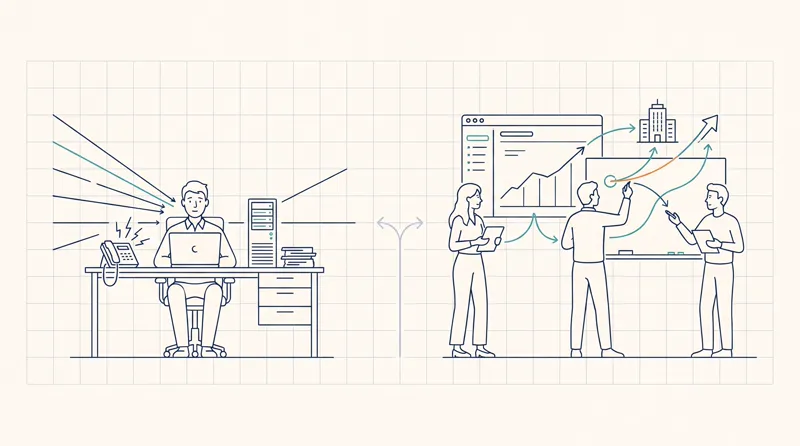
RFI responses. Spec review. Meeting minutes. Code research. Hunting for the detail that worked on a job three years ago. None of it requires genius. All of it eats the hours of the people you most want focused on design and clients.
A firm we spoke with ran its own AI review pass and it caught a dozen errors in a workflow that had run for years. Catching mistakes before they leave the office is the other half of the return.
Hours a day
lost hunting for information buried across files, spreadsheets, and email threads.
77%
of AEC firms miss deadlines because project information is hard to find. (Newforma, 2025)
20–30 hrs
a week one principal at a 40-person architecture firm could reclaim, a modeled estimate based on the tasks AI does well, not a guaranteed result.
~$160K
a year in principal time recovered if those hours come back, a modeled estimate at typical A&E billing rates.
Why Resolved
A rare intersection
Custom AI takes three things at once: real data governance, deep knowledge of how the work flows, and consulting that ties it to outcomes. Most providers do one side well, the AI, or the IT foundation that keeps it safe.
We do both, and we have been running our own operations on it for over two years.
Your Fractional CIO
Reid McConkey
Reid owns the business strategy: where AI fits your market, your growth, and your priorities. Because AI moves fast, he stays hands-on, shaping each engagement as we learn.
Your Fractional Chief AI Officer
Chris Briggs
Chris leads the AI work end to end: the build, the governance, and the integration into how your team works day to day. He designed the platform architecture, and leads Solutions at Resolved.
Wherever You Are
We meet your firm where it is
There’s no wrong starting point. The right first move depends on what your team is already doing.
You know it matters. You don’t have a plan.
A few people already use ChatGPT on personal accounts to get work done. It’s inconsistent, and it’s a risk. We find where AI actually helps, pick the tools, set the guardrails so your data stays put, and train your team.
Your team is leaning in. Nobody’s steering.
Most firms have never written down what AI is allowed to do, or what’s being shared. We turn ad-hoc use into a real strategy, with governance and guardrails, so the same people save more time using it right.
You want the output of an extra hire.
AI won’t replace an architect or engineer, but it can give your team 20 to 50 percent of an extra person’s capacity. We find the tasks where that math works, set it up, and measure the hours back. You decide where that capacity goes.
The Honest Question
"Can't I just use Claude myself?"
Yes, and you should. A principal we work with was already saving hours every week with Claude on her own. Personal use is a great signal, but it is not a firm-wide capability.
One power user → The whole firm
One person benefits alone. Managed AI gets the whole team there, with training and champions so it sticks.
A public model → Your own work
Answers grounded in your own projects, contracts, and precedents, cited back to the source file.
Manual uploads → Permission-aware
No copy-pasting into a chat window. It reads your project data under the permissions your people already have.
No guardrails → Governed
A written usage policy, a human review step before anything leaves the office, and your data staying inside your tenant.
Foundation First
Whatever AI can do for you, it can do to you. We get the data, access, and security foundation right first, then build AI on top of it.
The free pilot runs on what you already have. If the pilot shows the foundation needs work, we sequence that with a Strategic Technology Assessment; firms with a strong MSP or internal IT skip straight to AI.
The Path
Prove value first. Expand from evidence.
We don’t recommend a firm-wide rollout on day one. We start with a free pilot on one real project, then grow from a position of proof.
Search, Draft & Check
Full search across your project history, cited answers with your existing permissions respected, and first-draft RFI and consistency work with a person in the loop. This is where the hours come back first.
Start with the Strategic AI AssessmentWorkflow & Custom Tools
Once the foundation proves itself, we build automations and custom tools around how your firm actually works, from proposal drafting to scanning bid sites every morning for jobs you qualify for.
See Workflow AutomationHours hiding
in plain sight
Every firm has senior hours that vanish into work far below their rate: formatting a proposal, chasing a signature, copying data between systems. Managed AI takes that busywork out of the workflow, so your most expensive people spend their time on the work only they can do.
Built With Guardrails
Governance designed in, not bolted on
The whole point is to get the upside of AI without handing your client data or project IP to a consumer tool. Four principles hold from day one.
Runs in your environment
Runs under your governance, with your data staying in your environment. By default the model is Anthropic’s Claude through the API, and nothing trains on your data. A self-hosted model on your own network is possible on request for firms that need it.
Your permissions are the permissions
Access is tied to your identity provider. If someone can’t open a folder today, the AI can’t pull from it either. Financial and HR data stay segregated.
The AI proposes, your team decides
The system drafts, summarizes, and cites. A licensed professional on your team reviews and approves before anything leaves your office. It never stamps, files, or certifies.
Every answer is cited
Responses link back to the source file, project, and page. When the system can’t find a reliable answer, it says so instead of guessing.
Your Data, Your Firm
Three questions, answered plainly
The questions every firm asks before it trusts AI with its work. Here are the plain answers.
Are you keeping our data?
No. Your project files stay yours. Nothing you run through the system trains the model, and nothing is cached or memorized to build anything else.
Are you going to enter our business?
No. We are your IT and AI partner, not an architecture or engineering firm. We will never use your project history or IP to enter your market.
Will you sell our data to competitors?
No. We never sell, share, or hand your data to anyone. The application layer enforces who can see what, and your information never leaves your control.
We Eat Our Own Cooking
We built our own application layer first
A few years of putting AI to work taught us one thing: a raw model is not a product. It needs an application layer around it. We run our own operations on one we built ourselves, Resolved OS. Now we build one for you.
We proved it on our own data before it touched anyone else's.
The Full Stack We Deliver
- 01
Strategy & Roadmap
A Fractional CIO and Chief AI Officer set the roadmap and investment decisions.
- 02
Custom Software & AI Integration
We design, build, integrate, and support what moves your outcomes.
- 03
Adoption, Training & Risk
Firm-wide rollout, AI champions, adoption tracking, and a written usage policy.
Available Now
Early, on purpose, with protections to match
Adopting AI now is like being early to BIM: the firms that moved first won work others could not compete for. Every client gets a direct hand in what we build next, and we carry the risk of being early with real protections.
Month to month
No long lock-in. Thirty days notice, any time.
Success criteria first
We agree what a win looks like before you authorize, then report against it.
You keep the system
The system, your data, and the work product stay on your infrastructure if we part ways.
Source-code escrow
If we ever could not support it, the code is released to you. You are never stranded.
See it on one of your own projects first. The pilot is free, runs about a week, and success criteria are agreed in writing before anything starts.
FAQ
Managed AI questions
What is Managed AI? +
We put AI to work in your firm and own the outcome. We assess where it fits, choose the right tools, set the guardrails so your data stays where it should, train your team, and measure the hours that come back.
What does Managed AI cost? +
Managed AI is from $4,000 per month, and it starts with a free pilot on one real project, results or you do not pay. The exact number depends on scope, how many people use it, and what we build, so we set it on a call.
How is this different from buying an AI tool? +
A tool on its own changes little. We bring the strategy, governance, and adoption around it, with the IT foundation to deploy it safely, and we build around how your firm actually works.
Are we locked into one AI model or vendor? +
No. We are model-agnostic. By default we use Anthropic's Claude through the API, with your data kept in your environment and never used for training; OpenAI models are an option too. For firms that need it, a self-hosted model on your own infrastructure is possible on request. The choice is yours, and it can change as your needs and the models do.
How do you measure results? +
In hours returned to your team each week, and in outcomes like margin, capacity, and win rate, reported in the open so your whole team can see them. We measure the work coming back, not the people doing it.
What if it does not deliver? +
Then you do not pay. Managed AI comes with a simple guarantee: results, or you don't pay. We start with a free pilot and measure outcomes you can see, so the risk sits with us, not you.
If AI makes us faster, should our fees come down? +
No. Faster delivery is not a reason to be cheaper. It is room to deliver more value at the fee you set: more design time, better documentation, faster answers for clients. We measure the hours returned so you decide where that capacity goes, and cutting your own fee is the one use we would advise against.
We tried practice-management software once. It was awful. Why would this go differently? +
Because we do not start with software. Most firm systems demand months of setup and new habits before they give anything back. Our first step reads the files you already have, on your own network, and changes nothing about how your team works. New tools come later, if ever, and only after a free pilot proves the hours are coming back.
Will measuring hours feel like surveillance to our team? +
It should not, and we design so it cannot. We measure the work, not the person: hours returned, adoption by task, and the outcomes agreed on up front. The numbers are shared with the whole team, not held by leadership, because the point is to prove the time is genuinely coming back. We do not sell employee monitoring, and we decline when asked for it.
Our partners will not all agree on AI. Do we need consensus to start? +
No. The pilot is sized so one principal can say yes: one project, free, about a week, with success criteria agreed in writing before anything starts. The results recruit the rest of the partnership better than any meeting could.
Are there MSPs that specialize in AI for AEC firms? +
Very few. Most MSPs keep the lights on and will not touch AI; most AI consultants do not run the IT underneath it. Resolved does both for architecture, engineering, and construction firms, and to our knowledge it is the only AEC-focused MSP running its own custom AI application layer.
What is an AI application layer? +
The workflow built on top of an AI model: it takes a request, applies your firm's standards, checks its own output, and returns something a licensed professional can put their name on. The model is becoming a commodity; the application layer is where reliability, safety, and firm-specific value actually live, and it is the layer we build and run for clients.
Trusted by firms like yours


Start Here
See it on your own data, free
The best way to evaluate this is with your own work. We index one project from your archive and let your team try it for about a week. If it saves time, we talk about going further. If it doesn’t, we shake hands and you’re not out anything.
Want the plan before the partnership? Start with the Strategic AI Assessment; its fee is credited toward Managed AI. Our depth is in architecture and engineering, and the same partnership fits any document-heavy, knowledge-driven firm.
- Pilot
- One project, about a week
- Cost to try
- Free
- Your data
- Stays in your environment, under your governance
- Our promise
- Results, or you don't pay
- Then
- Managed AI, from $4,000 / month
- Model
- Anthropic Claude by default, others on request